Midad. Prayer, Quran and Hadith. Nothing else.

Midad is a quiet place for the three things a Muslim day returns to, on iPhone and iPad.

What Is in Midad Coming Soon to the App Store

Six cities at the same time, from dawn to night.
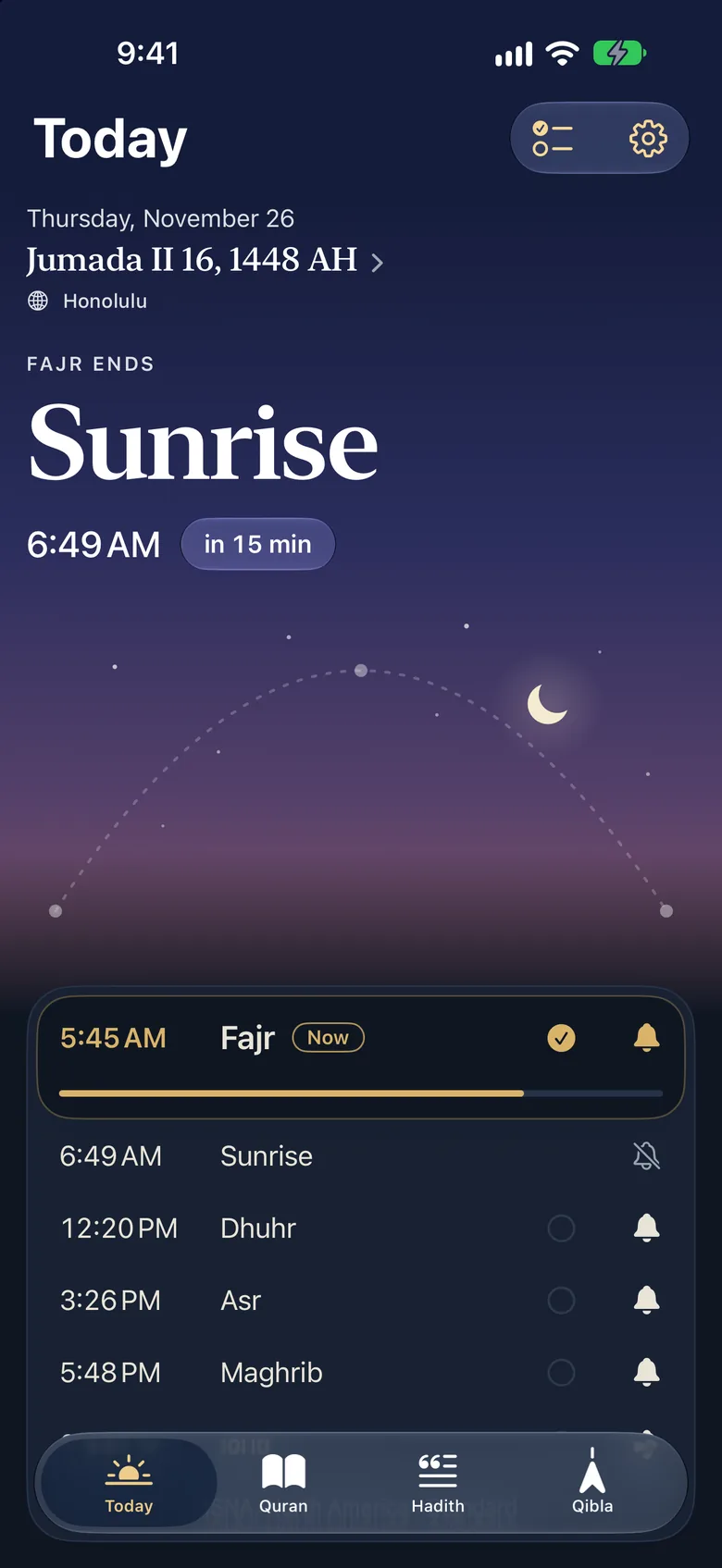
The Today screen on iPhone at dawn in Honolulu. Under a night sky with a crescent moon, Fajr ends at sunrise, 6:49 AM, in 15 minutes. Beneath is the day’s list of prayer times, with a bell for each prayer’s alert.
Dawn in Honolulu
The Today screen in the morning in Chicago. The sun is climbing the day’s arc in a blue sky; the next prayer, Dhuhr, is at 11:39 AM.
Morning in Chicago
The Today screen at midday in São Paulo. The sun is just past the top of the arc; Dhuhr began at 11:55 AM and the next prayer, Asr, is at 3:15 PM.
Midday in São Paulo
The Today screen in the afternoon in Dakar. The sun is on its way down the arc; Asr began at 4:12 PM and the next prayer, Maghrib, is at 6:38 PM.
Afternoon in Dakar
The Today screen at sunset in Algiers. The sky is red at the horizon, with a crescent moon; Maghrib began at 5:33 PM and the next prayer, Isha, is at 6:49 PM.
Sunset in Algiers
The Today screen at night in Jakarta. A night sky with a crescent moon; Isha began at 6:55 PM and tomorrow’s Fajr is at 4:25 AM.
Night in Jakarta

Three Promises

  • No Ads, No Account, No Tracking

    Midad has no advertising, no sign-in and no analytics. Your bookmarks and your notes stay on your device.

  • Your Location Stays on Your Device

    Prayer times and the Qibla are calculated on your device. If you choose a city by name instead, only the name you type is sent to Apple to find where it is. Nothing is sent to us.

  • No Offer Is Ever Shown Over Scripture

    The Quran and the hadith appear on their own, exactly as their sources give them. The offer for Midad Plus is never shown over scripture or over the prayer screen.

Read the Privacy Policy

What Is in Midad

Prayer

The Today screen on iPhone, in São Paulo. The next prayer, Asr, is at 3:15 PM, in 1 hour and 39 minutes. Beneath it is the day’s list of prayer times, with a bell for each prayer’s alert.
Today: the next prayer, the day’s times and an alert for each.
The Prayer Tracker. A streak of 3 days; in the last 7 days, 27 prayed, 3 prayed late and 1 missed; and a calendar for November 2026 with a ring on each recorded day.
The prayer tracker, for the week and the month.
The Hijri Calendar for Jumada II 1448 AH, with today, the 16th, ringed, and the Gregorian date beneath each day.
The Hijri calendar.
  • Prayer Times and Alerts Today’s five prayers and sunrise, with a countdown to the next, calculated on your device from your location or a city you choose. An alert for each prayer, each one on or off.
    • Calculation Method Twelve calculation methods, the Hanafi or standard Asr time, and minute adjustments to match your mosque.
    • Qibla The direction of the Kaaba and the distance to it, with a compass on devices that have one.
    • Widgets Home Screen widgets that show the next prayer.
  • Prayer Tracker Mark each prayer as prayed, prayed late or missed, and see your week and your month. The record stays on your device.
  • Hijri Calendar The Hijri date and calendar, with suhoor and iftar times in Ramadan.

Quran

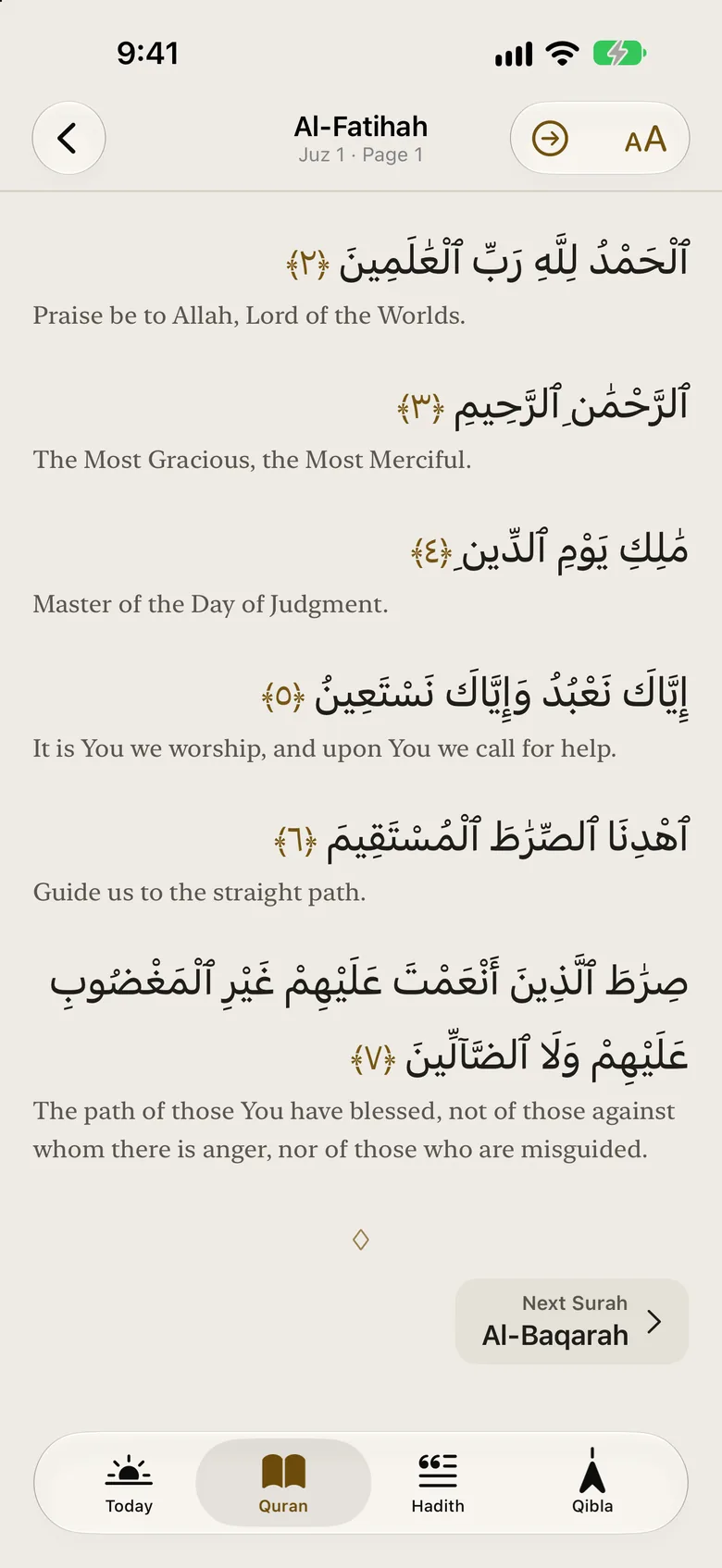
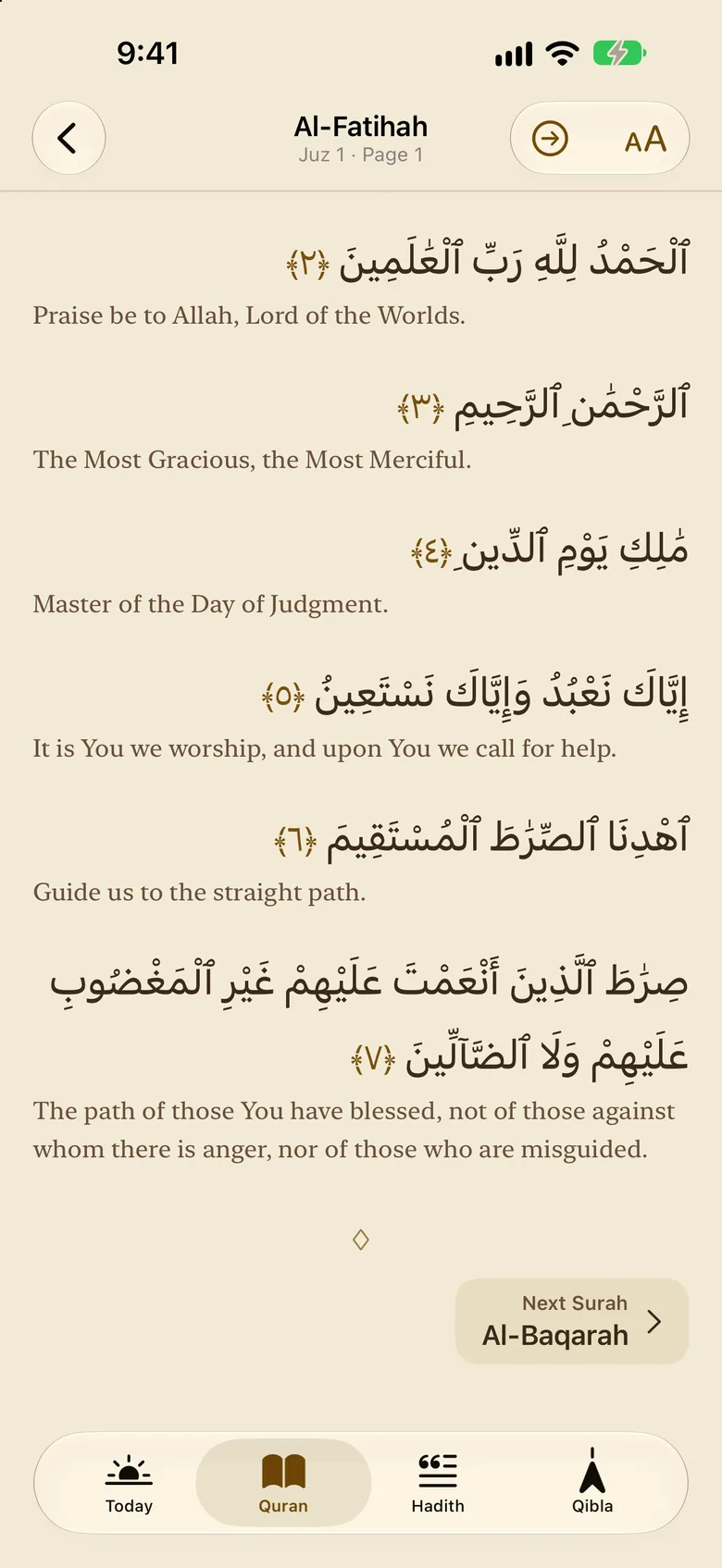
Surah Al-Fatihah in the Quran reader on iPhone: all seven verses in Arabic, each with its English translation beneath.
The Quran, with the translation beneath each verse.
The Quran tab: a search field, today’s reading, Continue Reading at Al-Fatihah, and the list of surahs.
Search, the surahs, your bookmarks and where you stopped. Today’s Reading belongs to reading plans, part of Midad Plus.
Surah Al-Fatihah with verse 2 selected and a bar of actions beneath: Bookmark, Highlight, Note, Copy, Share and Tafsir.
A verse selected, ready to copy or share.
Tafsir al-Jalalayn for verse 2 of Surah Al-Fatihah, in Arabic, open in a sheet over the reader.
Tafsir al-Jalalayn for a verse. Tafsir is part of Midad Plus.
The note editor for verse 2 of Surah Al-Fatihah: the verse above a typed note, and beneath it the line Notes stay on this device.
A note on a verse. Notes are part of Midad Plus.
Reading Plans: The Whole Quran, day 1 of 30, with today’s reading from Al-Fatihah 1 to Al-Baqarah 134 and the days coming up.
A reading plan. Plans are part of Midad Plus.
  • Text and Translation The complete Arabic text in Uthmani script, from the Tanzil Project, carried over exactly as it is, with the English translation by Talal Itani (ClearQuran.com).
  • Search and Bookmarks Search, go straight to any surah, verse or page, keep bookmarks, and continue reading where you stopped.
  • Copy and Share Copy or share a verse exactly as it is written, in Arabic with its translation, followed by the surah, the verse number and the credit for each text.
  • Tafsir Plus Tafsir al-Jalalayn, in Arabic, opens beneath the verse you choose.
  • Notes and Highlights Plus Write a note on any verse, or highlight it. Your notes stay on your device.
  • Reading Plans Plus A plan such as the whole Quran in thirty days gives you each day’s portion and shows what is coming up.

Hadith

Hadith 940 and 941 of Sahih al-Bukhari, from its Book of Friday Prayer, in the Hadith reader on iPhone: each in Arabic with the English beneath it, and buttons to bookmark and share.
Hadith, in Arabic and in English.
The Hadith tab, scrolled down: a search field, books 4 to 12 of Sahih al-Bukhari with the number of hadith in each, a button to show all 97 books, and Sahih Muslim beneath.
Sahih al-Bukhari, book by book.
  • Sahih al-Bukhari and Sahih Muslim In Arabic and English, used with permission from sunnah.com.
  • Browse and Search Open either collection book by book, search it, keep bookmarks and share a hadith.

Where the Texts Come From

Reading Themes

Paper comes with Midad and follows your device, light or dark. Sepia, Sand, Night Ink and True Black are part of Midad Plus.

Theme
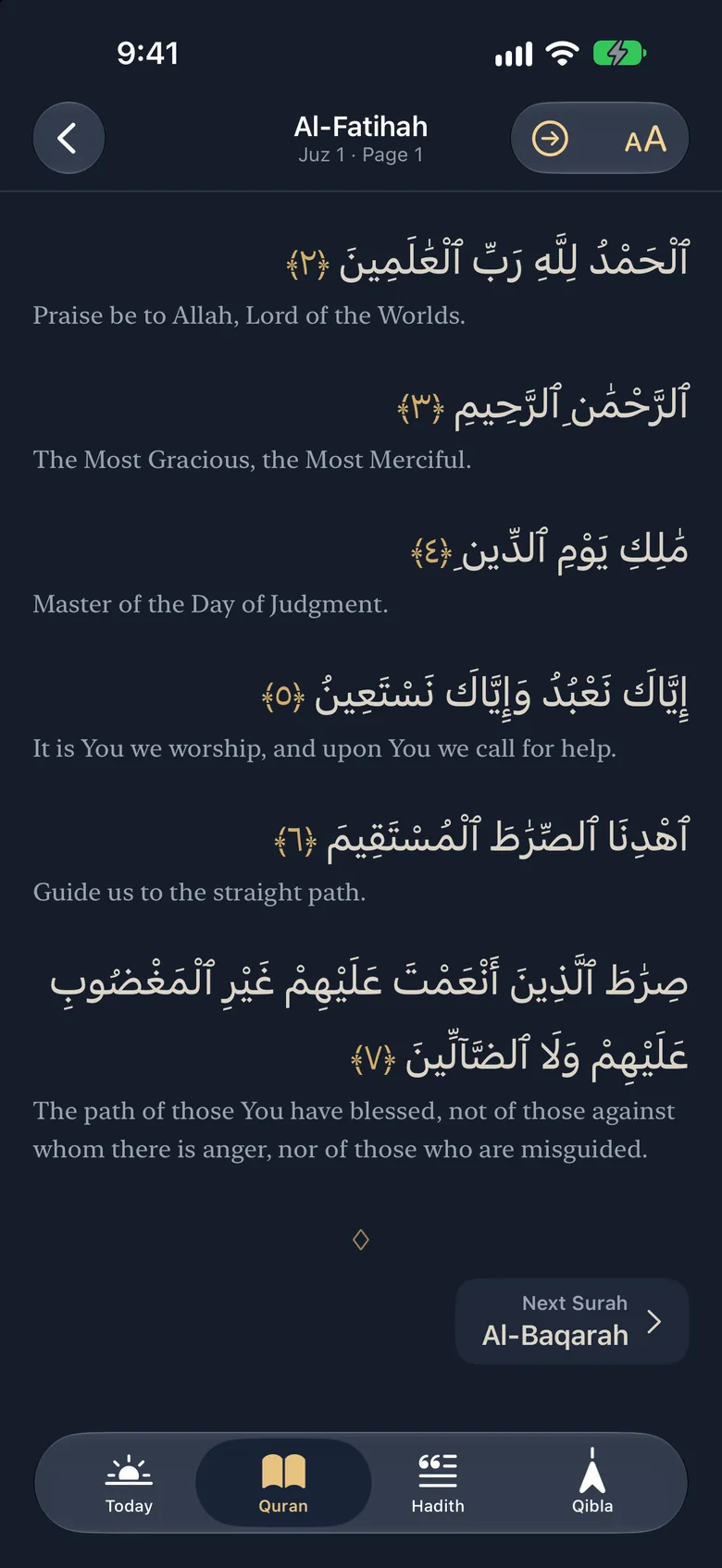
Surah Al-Fatihah in the Quran reader, in the Paper theme, which follows the device: dark ink on cream paper in light appearance, cream ink on dark paper in dark.
Paper
The same page in the Sepia theme: brown ink on warm paper.
Sepia
The same page in the Sand theme: dark ink on light warm grey.
Sand
The same page in the Night Ink theme: cream ink on deep blue-black.
Night Ink
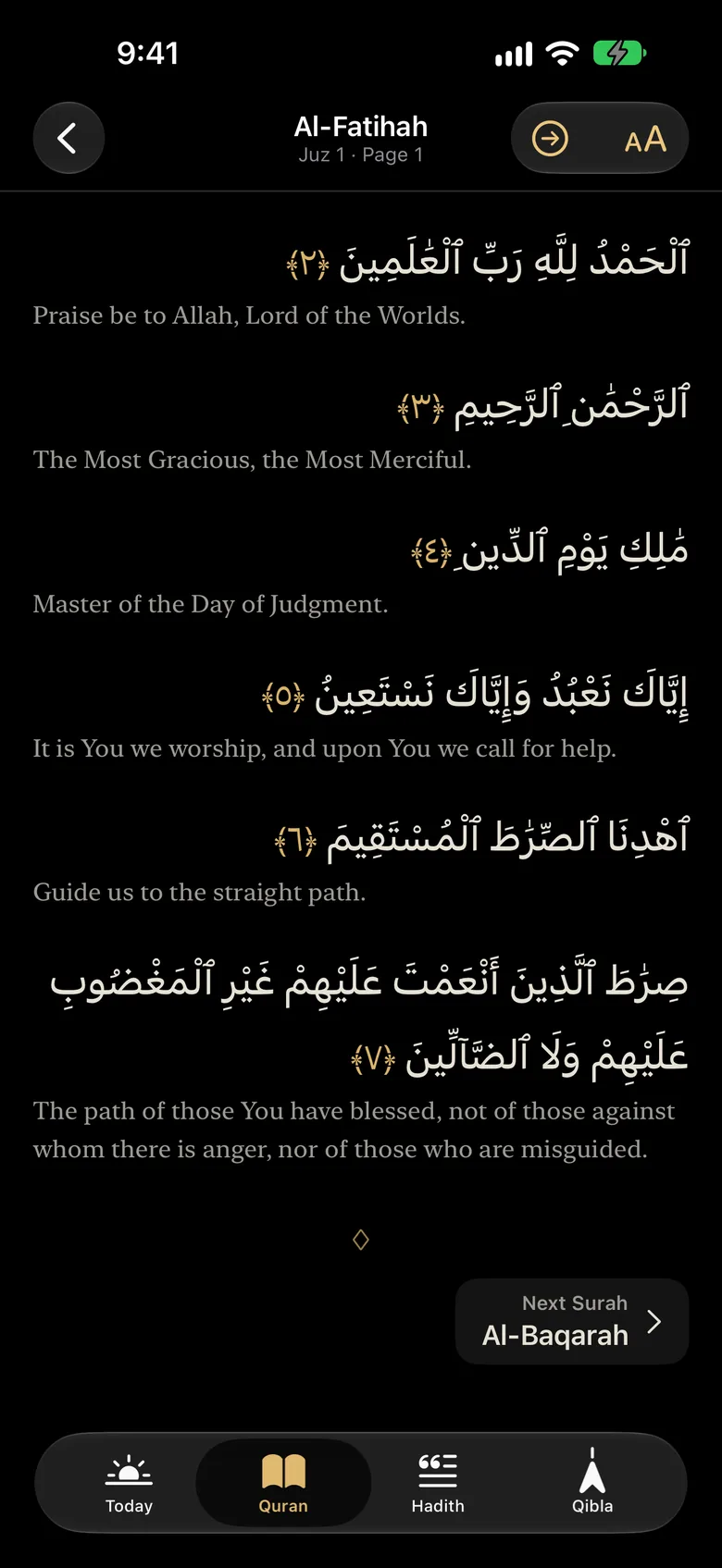
The same page in the True Black theme: cream ink on pure black.
True Black

The Quran reader in each of the five themes.

On Every Screen

On iPad and the foldable iPhone Duo, Midad uses the space: Arabic and English side by side, a study desk with tafsir beside the verse, and Today at a glance. Folding or rotating keeps your place.

Midad on the closed iPhone Duo: the Today screen on the outer display, with the next prayer, Dhuhr, at 11:44 AM.
Midad on the open iPhone Duo: Today at a glance across both pages, with the next prayer and the prayer list on the left page, and the day’s line, This Week and This Month on the right.
iPhone Duo: Today on the outer screen, and Today at a glance when it opens. Swipe to open it.
iPad Layout
The Quran reader on iPad at a larger text size, with the list of surahs closed: Surah Al-Fatihah, each verse in Arabic with its English translation beside it.
The Quran on iPad: Arabic and English side by side.
Today at a glance on iPad, late in the evening: the next prayer, Fajr, tomorrow at 5:36 AM, the day’s line, the prayer list, This Week, This Month, the Qibla and Continue Reading.
Today at a glance on iPad.
The Study Desk on iPad. Surah Al-Ikhlas is on the left in Arabic with its English translation; verse 2 is selected. Tafsir al-Jalalayn for that verse is open on the right.
The Study Desk on iPad: the verse on one side, its tafsir on the other. Tafsir is part of Midad Plus.
  • iPhone, iPad and iPhone Duo One app for all three. Larger-screen layouts are free.
  • English and Arabic The whole interface, in either language.
  • Large Text Dynamic Type, including the Arabic text.
  • Light and Dark Both appearances, following your device.
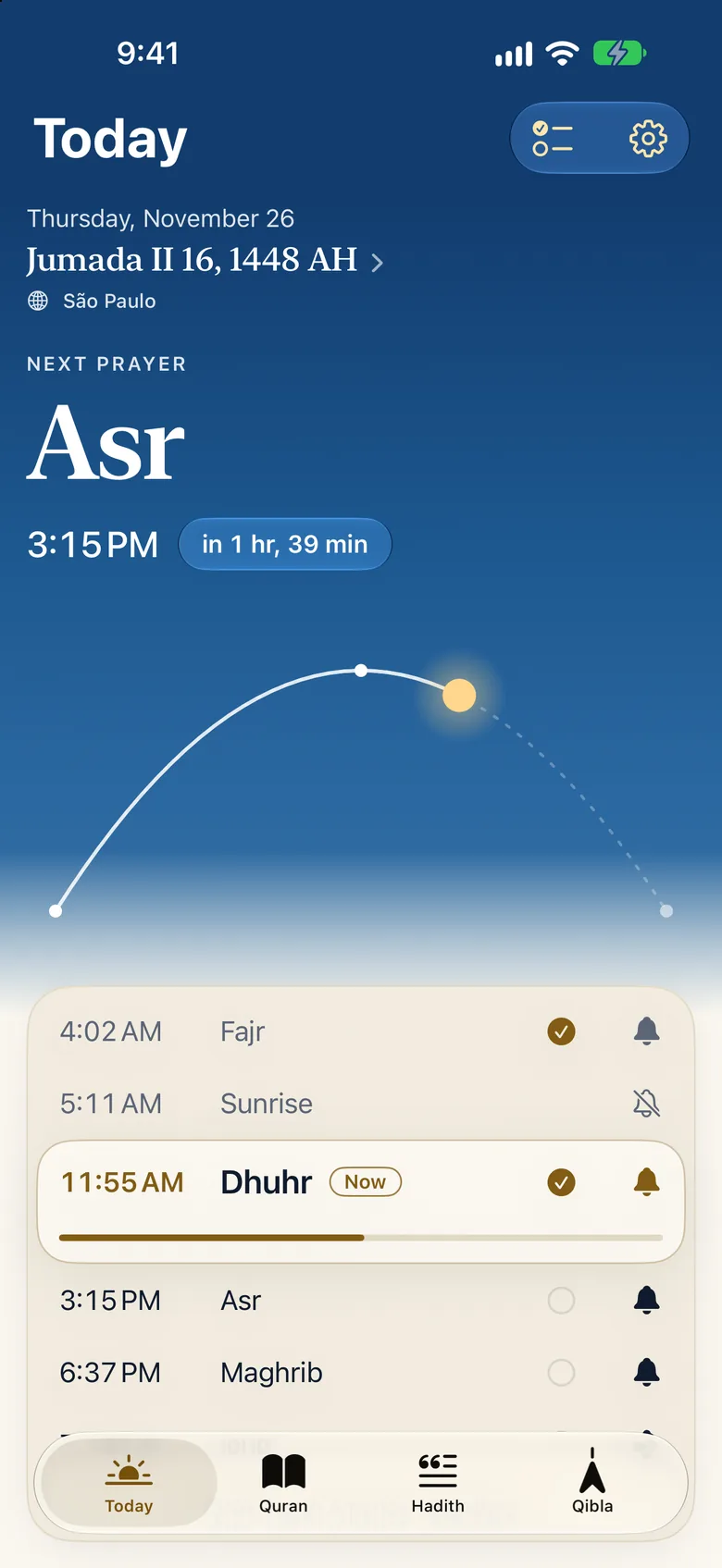
The Today screen in English, in light appearance: the next prayer, Asr, at 3:15 PM, above the day’s prayer times.
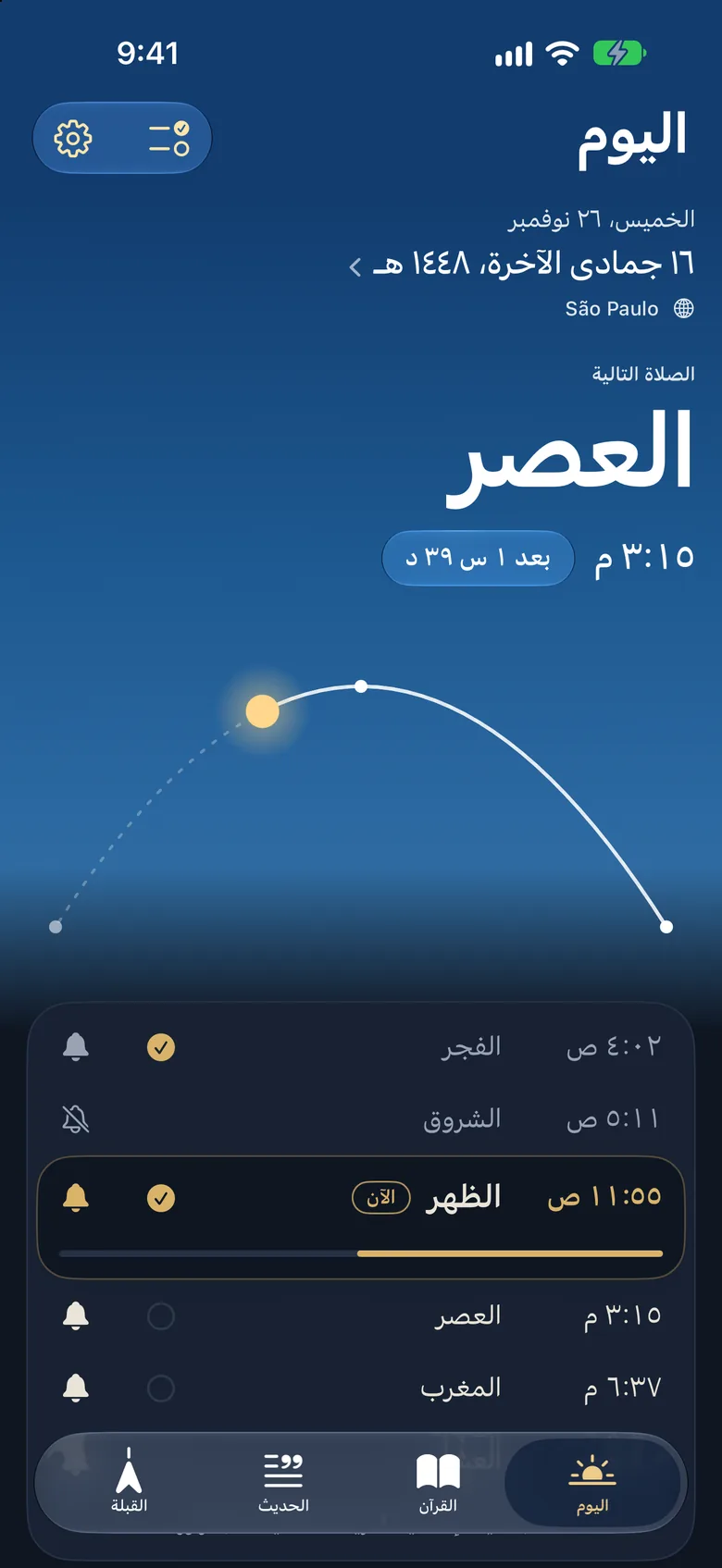
The same Today screen in Arabic, laid out from right to left, in dark appearance.
Today in English and light appearance, and in Arabic and dark.

What Is Free, and What Midad Plus Adds

Free, Forever

Everything a day of prayer and reading needs.

  • Prayer times and alerts
  • Qibla
  • The prayer tracker and the Hijri calendar
  • The Quran, with the English translation
  • Sahih al-Bukhari and Sahih Muslim
  • Search and bookmarks
  • Home Screen widgets
  • Every larger-screen layout

Nothing that is free will ever move behind Midad Plus.

Midad Plus

Optional, for study and for making it yours.

  • Notes and highlights on any verse
  • Tafsir al-Jalalayn, in Arabic
  • Reading plans with a daily portion
  • Reading themes, app icons and widget styles
  • A Today screen you arrange

Yearly with a 7-day free trial, monthly, or once for lifetime access.

US Prices

Yearly
$19.99
Monthly
$2.99
Lifetime
$49.99

You can also leave a tip, which unlocks nothing.

Midad Is Coming

For iPhone and iPad, on iOS 26 and iPadOS 26 or later. Free to download, with nothing to sign up for.

Coming Soon to the App Store

Midad (مداد) means ink.